
I used to treat Instagram like a daily chore that I always kept postponing. I’d tell myself that I’d post “when I had time,” but then realise it was already 11 p.m. and I hadn’t opened the app all day. Some weeks I’d go all in with three posts and a bunch of Stories, then disappear for ten days. It wasn’t just inconsistent, but it was exhausting as well.
So I decided to stop guessing and start testing. Over the last few weeks, I tried several Instagram post schedulers with one goal. The goal was to find a tool that would help me plan and auto-post Instagram content without turning my life into a content factory. I connected real accounts, scheduled real posts, and watched what actually published on time and what fell apart.
Here’s what I learned, which tools stood out, and how you can use a post scheduler for Instagram to build a simple, sustainable workflow.
What I was looking for in an Instagram post scheduler
I wrote down what I actually needed before I signed up for anything. I didn’t want a fancy enterprise platform. I actually wanted something that would solve my core problems.
My must-haves were very clear:
- True auto-publishing to Instagram. I didn’t want “we’ll send you a reminder” for every post. I wanted to schedule and forget; the rest goes on its own.
- Support for Feed posts at minimum, ideally Reels and carousels too.
- A clear content calendar so I could see what’s in my week or month at a glance.
- Easy caption and hashtag management, with the ability to save templates or reuse sets of hashtags.
- Reliability. If I schedule a post for 9 a.m., it means it should be published at 9 a.m.
The nice-to-haves quickly rose to the top as I tested:
- Managing multiple Instagram accounts from one dashboard.
- Cross-posting to Facebook, LinkedIn, or other platforms.
- Basic performance insights (what’s getting reach, saves, comments).
- A mobile app or at least a mobile-friendly interface.
I also kept my constraints in mind. That’s because I’m not a huge agency. I wanted something affordable, easy to learn, and not over-engineered. If the tool required a three-hour onboarding call just to schedule a post, it wasn’t for me.
How I tested the schedulers
I didn’t just skim feature pages. I set up a small, realistic test.
I picked four tools that appeared somewhat promising based on reviews and recommendations. For each one, I did this:
- First, connected an Instagram Business account.
- A mix of content that packed single-image posts, carousels, and a couple of Reels was created.
- Posts were scheduled across different days and times, including weekdays and weekends.
- A try to edit, reschedule, and delete scheduled posts was made.
- Checked whether posts actually published automatically or if I had to jump in at the last minute.
I paid attention to the small things:
- How long was the setup time?
- The calendar view was uncluttered or not.
- How easy it was to tweak a caption or swap an image.
- Whether the tool felt like it was built for Instagram specifically or just tacked it onto a generic social suite.
- How responsive support was when I had questions.
In the end, I had a strong feel for which tools were genuinely helpful and which ones created more work than they saved.
Top Auto Publishing tools I tested
Here are the tools that I shortlisted and tested. I’ll keep everything honest. Some of them impressed me, some felt bloated, and one ended up being my daily driver.
1. A4Autopost
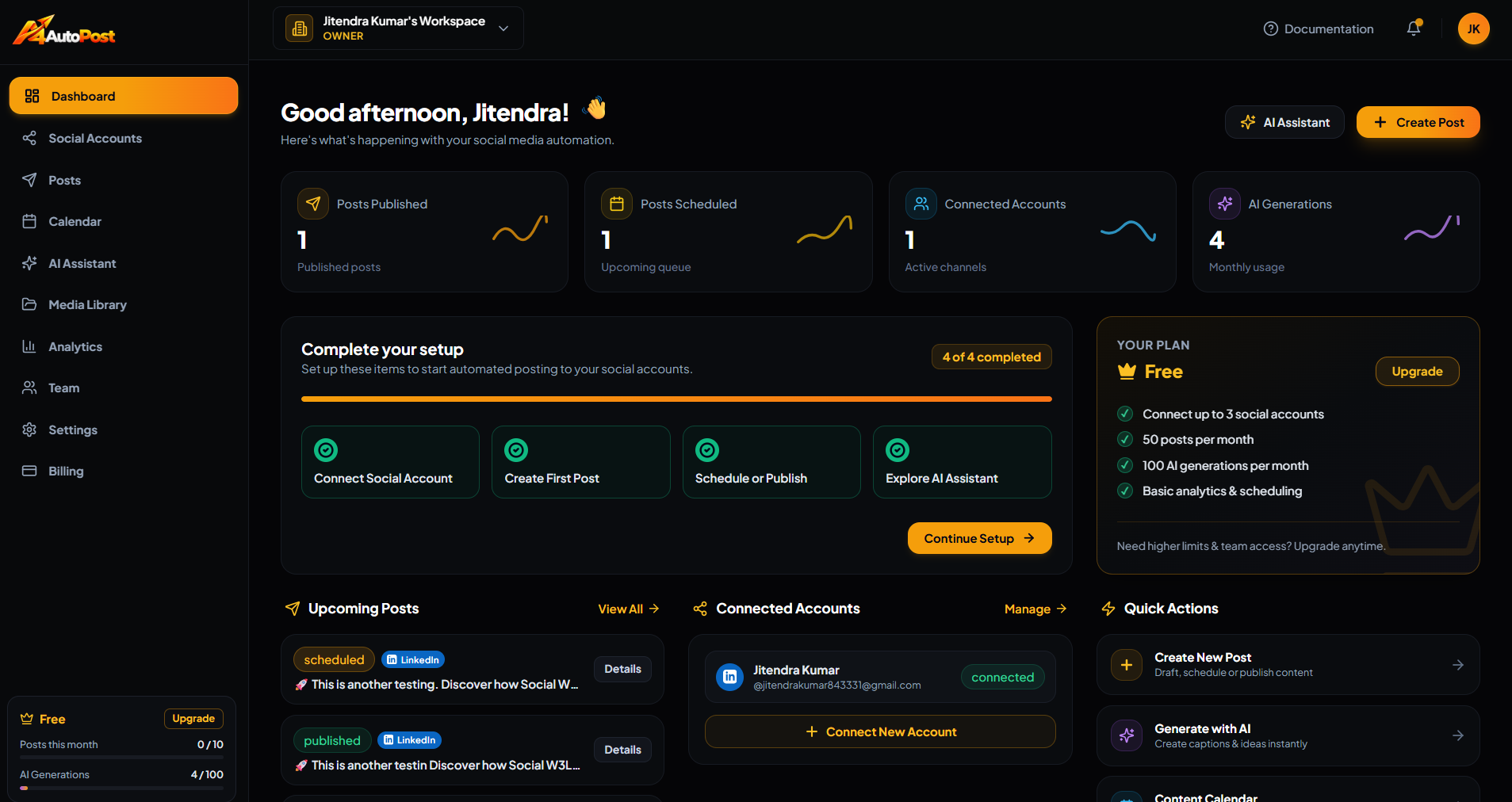
Best for: Small businesses, creators, and anyone who wants a simple, reliable social media scheduler for Instagram without enterprise complexity.
What I liked:
- Straightforward auto-publishing. I connected my Instagram account, created a post, picked a time, and it published as scheduled. No last-minute notifications, no manual steps.
- Clean calendar view. The weekly and monthly views made it easy to see gaps in my content plan. The drag-and-drop rescheduling felt very natural.
- Multi-platform support. I could schedule the same campaign for Instagram and Facebook with minor caption tweaks, which saved a lot of time.
- Simple workflow. There wasn’t a learning curve. I was scheduling posts within minutes of signing up.
What could be better:
- Advanced analytics are more basic compared to some big-name tools. If you need deep performance dashboards, you might outgrow it eventually.
- The interface is intentionally simple, which is great for most users but might feel light for large teams wanting complex approval flows.
My take:
For my use case, the consistent posting without drama, A4Autopost hit the sweet spot. It did the core job very well and didn’t drown me in features I’d never use.
2. Buffer
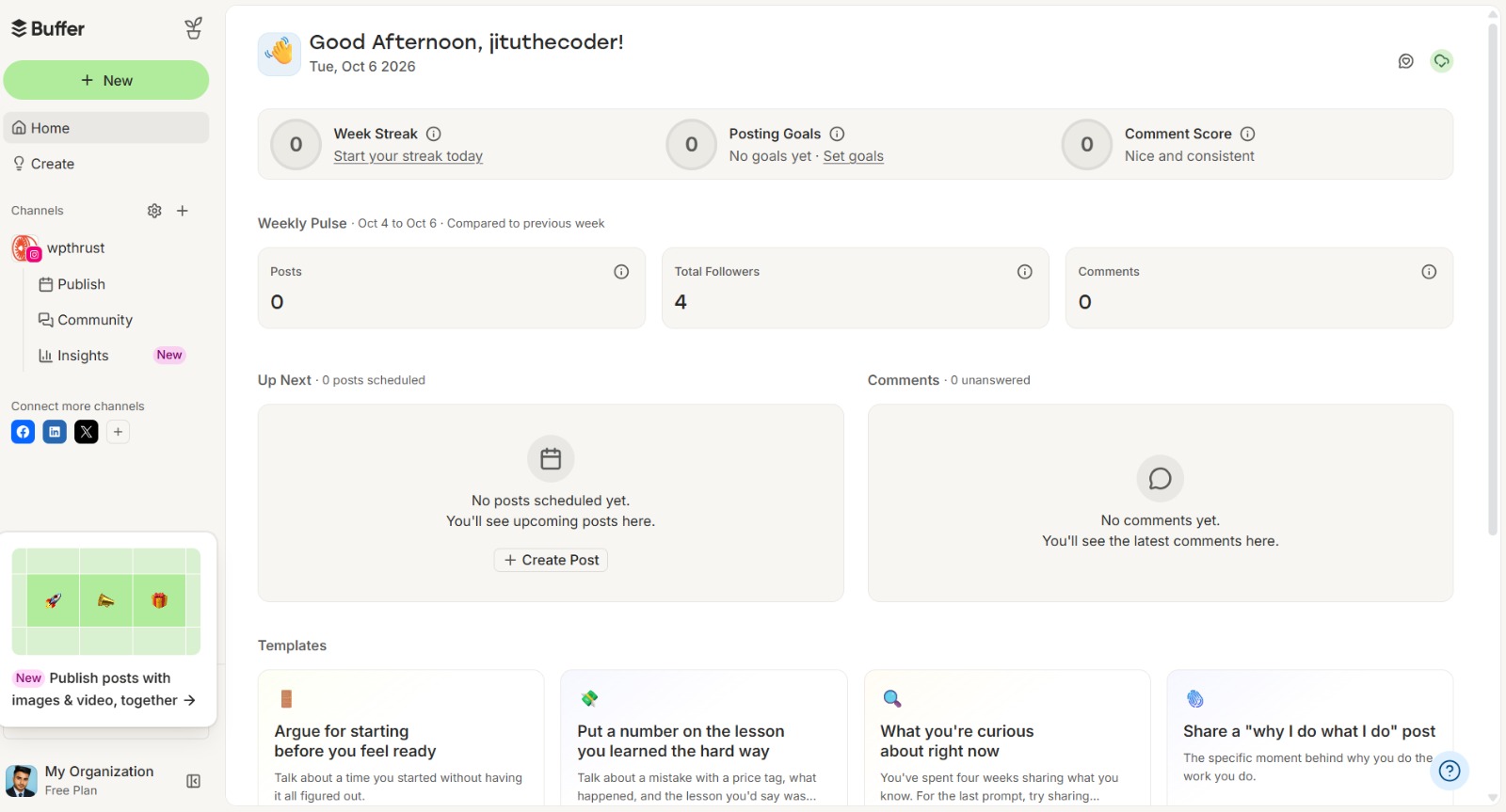
Best for: Solopreneurs and small teams who want a polished, general-purpose social scheduler.
What I liked:
- Very intuitive interface. Buffer is known for simplicity, and it shows that in my tests. The queue and calendar views are clean.
- Good browser extension. I could quickly schedule posts while browsing.
- Decent analytics for the price. The basic plans include enough data to see what’s working.
What could be better:
- Instagram auto-publishing works great, but some advanced formats, like certain Reels workflows, felt a bit constrained compared to native posting.
- The pricing goes up quickly when you add more accounts and features.
My take:
Buffer is a solid, reliable option if you’re managing multiple platforms and want a well-known tool. For Instagram-heavy workflows, though, I preferred tools more focused on that use case.
3. Later
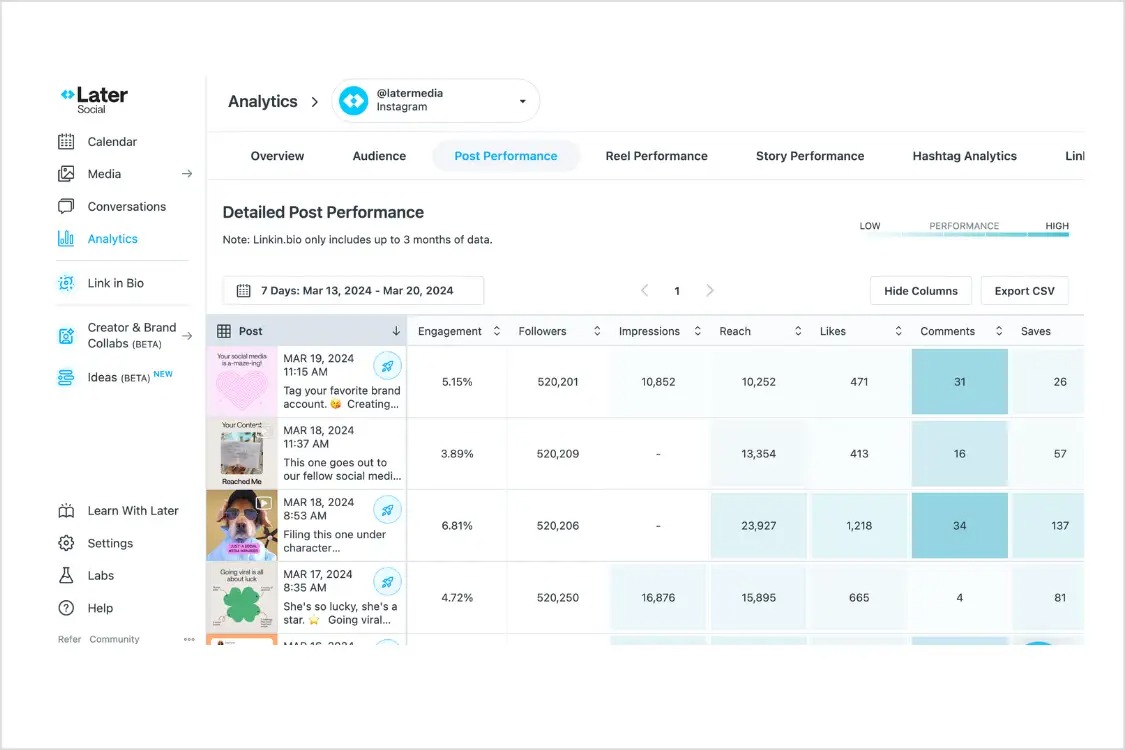
Best for: Visually driven brands and creators who care a lot about feed aesthetics.
What I liked:
- Visual content calendar. The drag-and-drop grid preview is excellent for planning how your feed will look.
- Strong Instagram focus. Features like hashtag suggestions and Linkin.bio integration are handy.
- Good media library. Uploading and organising assets was smooth.
What could be better:
- Some key features sit behind higher-tier plans, which can get expensive for small accounts.
- The interface, while pretty, felt a bit heavy for my “keep it simple” goal.
My take:
If your main priority is curating a beautiful Instagram grid and you’re willing to pay for it, Later is compelling. For straightforward scheduling and auto-publishing, it felt like more than I needed.
4. Meta Business Suite
Best for: The right pick for the brands already deep in the Meta ecosystem who want a free, native option.
What I liked:
- Free and officially supported by Meta. There are no third-party access worries.
- Integrated with Facebook Pages and Instagram. Managing both in one place is convenient.
- Decent scheduling for Feed posts. Basic planning works well.
What could be better:
- The interface can feel clunky and slow, especially when juggling multiple assets.
- Features and reliability vary by region and account setup.
- It’s very Meta-centric; if you use other platforms, you’ll still need another tool.
My take:
Meta Business Suite is a perfectly fine free option if you only care about Instagram and Facebook and don’t mind a less polished experience. I preferred dedicated schedulers for a smoother workflow across platforms.
My top pick for most users
If I had to recommend one tool for most small businesses, coaches, local brands, and creators, it would be A4Autopost.
Here’s why:
- It solved my main problem of consistent, automatic posting without constant manual work.
- The learning curve was almost nothing. I didn’t need tutorials to figure out how to schedule a post.
- The calendar made it easy to plan a week or a month in one sitting.
- It supported my other channels without forcing me into a complex suite.
Yes, some bigger tools offer more granular analytics or team collaboration features. But in my testing, those extras often came with extra cost, extra complexity, and extra time spent managing the tool instead of creating content.
For anyone who wants to auto-post Instagram content without turning it into a part-time job, A4Autopost was the most practical choice.
How to plan and auto-publish Instagram content
Testing tools was only half the battle. The real win came when I built a simple planning routine around the scheduler. Here’s the workflow I now use.
Step 1: Define your posting goals
Before opening any tool, I asked myself one question:
What do I actually want Instagram to do for me?
- More enquiries or DMs?
- More website clicks?
- Stronger local awareness?
- Community building through comments and conversations?
Your goal shapes your content. If you want enquiries, you’ll include clearer calls to action. If you want community, you’ll ask more questions and reply to comments intentionally.
I settled on two primary goals. The steady visibility and a small but consistent flow of enquiries. That meant I didn’t need to post three times a day. I only needed to post reliably and make each post count.
Step 2: Choose your content mix
I used to think every post had to be perfect. Now I think in terms of mix.
My basic framework:
- Educational posts: Tips, how-tos, quick explainers related to my niche.
- Promotional posts: Offers, services, products, or clear invitations to work with me.
- Engagement posts: Questions, stories, behind-the-scenes, client wins.
- Brand posts: Who I am, what I believe, why I do what I do.
I don’t rigidly stick to percentages, but I aim for variety. In a typical week, I might schedule:
- 2 educational posts.
- 1 promotional post.
- 1 engagement or story-style post.
- 1 brand or behind-the-scenes post.
This keeps my feed from feeling like a constant sales pitch but still moves my goals forward.
Step 3: Set up your Instagram post scheduler
This is where the tool comes in. Using A4Autopost as an example, here’s what I did:
- I created an account and connected my Instagram Business profile.
- I made sure my Instagram account was set to Business or Creator (required for most auto-publishing).
- I connected my Facebook Page as well, since I often cross-post.
- Took ten minutes to explore the calendar view and settings.
I didn’t overthink this. The goal was to get to the point where I could create and schedule a post in under five minutes.
Step 4: Create and schedule your first week of posts
I block 60 to 90 minutes once a week for content creation and scheduling. Here’s my process:
- Gather assets. I pull together images, short videos, and any graphics I’ve created. I keep a simple folder on my computer or cloud drive labelled “Instagram – To Post.”
- Write captions in batches. I open a doc and draft 4 to 6 captions in one go. I reuse structures: hook, value, example, call to action. I also keep a few sets of hashtags saved for different post types.
- Upload and schedule. In the scheduler, I:
- Choose the date and time.
- Upload the image or video.
- Paste the caption and hashtags.
- Preview how it will look.
- Hit schedule.
I aim for consistency, not perfection. If a caption is not poetic but is clear and helpful, it’s good to be picked. The notable thing is to show up regularly.
I also try to schedule posts at times when my audience is likely active. For me, that’s early morning and early evening on weekdays, with a couple of weekend posts. Your times may differ, but the principle is the same. Pick a few slots and stick with them.
Step 5: Review and adjust
Once my posts are scheduled, I don’t just disappear. I spend 15 to 20 minutes reviewing once a week:
- Which posts got more reach, saves, or comments?
- Which captions sparked conversations?
- Which formats like single image, carousel, or reel performed best?
I don’t need complex dashboards for this. A quick look at Instagram Insights and the scheduler’s basic stats is enough.
Then I adjust:
- If how-to carousels perform well, I plan more of those.
- If a certain call to action drives DMs, I reuse that phrasing.
- If a time slot consistently underperforms, I shift it.
Over a month or two, this small feedback loop makes a big difference. My content gets sharper, and my posting routine feels easier because I’m repeating what works.
Common mistakes I saw while testing
When I was trying different tools, I noticed some patterns that made life harder than it used to be.
Relying on reminders instead of auto-publishing.
Some tools market themselves as “schedulers” but they actually just send you a notification to post manually. That disappointed me. If I have to drop what I’m doing at 9 a.m. to hit “share,” I’m not really automated.
Posting the exact same content everywhere.
It’s trying to schedule one caption and post it to Instagram, Facebook, LinkedIn, and X. But each platform has its own culture. I need to write a core message, then tweak the tone and length for each network.
Ignoring time zones and audience habits.
Scheduling is great, but not if you’re posting at 3 a.m. for your audience. I checked my Insights to see when my followers were most active and scheduled around those windows.
Treating scheduling as “set and forget.”
Automation does not mean absence. I still reply to comments, and watch for trends. Also, I adjust my plan when something important comes in between. The scheduler handles publishing and I handle the human part.
Overcomplicating the system.
At one point, I had a complex spreadsheet, three tools, and a colour-coded content matrix. It looked impressive and I hated using it. I switched to a simpler workflow. One tool, one weekly planning session, and one clear content mix. Consistency improved immediately.
Final Recommendation
After testing for weeks, my conclusion is straight and simple. The best Instagram post scheduler is the one you’ll actually use consistently.
A4Autopost is the right pick for me. It’s not the flashiest tool on the market, but it’s the one that made posting feel manageable again. I can plan a week of content in one sitting, trust that posts will go live on time, and focus more on creating and engaging instead of wrestling with apps.
If you’ve been struggling with inconsistent posting, start small:
- Pick one tool.
- Define a simple content mix.
- Schedule one week of posts.
- Review, tweak, and repeat.
You don’t need a perfect strategy. You need a system with you can stick.
If you’re ready to stop guessing and start showing up consistently on Instagram, try setting up your first scheduled posts today. Connect your account, plan a week of content, and let the scheduler handle the publishing while you focus on what you do best.